How to Use a Nutrition Tracker for Weight Loss Effectively
Using a nutrition tracker for weight loss is one of the most practical ways to take control of what you eat and see consistent results. Whether you choose a free NHS app, a popular calorie counter like MyFitnessPal, or a meal-planning tool like Mealiv, the basic principle is the same: you log what you eat, the app calculates your calorie and nutrient intake, and you adjust your habits to create a safe calorie deficit. This guide explains how to get the most from any nutrition tracker, which features matter most, and which UK-relevant options are worth considering.
It's part of our wider diet, nutrition and weight loss guide — start there for the bigger picture, then use this article to put a tracker to work.

How a Nutrition Tracker for Weight Loss Works
A nutrition tracker records the food and drink you consume and compares it against your personal calorie and nutrient targets. The NHS recommends a daily intake of around 2,000 calories for women and 2,500 for men to maintain a healthy weight. For safe weight loss, reducing that intake by around 600 calories per day is advised. A tracker helps you see exactly where those calories come from — a calorie calculator is a good way to set your starting target — making it easier to stay within it without guesswork.
Most trackers also break your intake down into macronutrients (protein, carbohydrates, fat) and sometimes fibre or micronutrients. This matters because weight loss is not just about eating less; it is about eating the right balance of nutrients to maintain energy and muscle mass. Many apps, including the NHS Weight Loss Plan app, offer structured 12-week plans that combine calorie tracking with healthy-eating advice and exercise tips.
Choosing the Right Nutrition Tracker for Weight Loss
The market offers several well-regarded options, each with different strengths. The table below compares five popular trackers on the features that matter most for weight loss.
| App | Database size | Key features | UK relevance |
|---|---|---|---|
| MyFitnessPal | Over 20.5 million foods | AI food database, barcode scanning, voice logging, custom macros (premium) | Global; large database includes many UK products |
| Lose It! | Over 56 million food items | AI voice and photo meal logging, barcode scan, 57M+ users | Global; strong community features |
| NHS Weight Loss Plan | N/A (pre-loaded UK foods) | 12-week structured plan, free, backed by UK government | Designed for UK users; over 4 million downloads |
| Nutracheck | UK-specific database | Tracks 6–7 key nutrients, Fitbit integration, 7-day free trial | British app with 4.9/5 Trustpilot rating |
| Mealiv | UK food + product database | AI meal planning to your calorie target, barcode & photo logging, auto shopping list | UK-focused; plans around Tesco, Sainsbury's and Asda |
Your choice depends on what matters most to you. If you want a simple, free, NHS-endorsed option, the NHS Weight Loss Plan app is a solid start. If you prefer a larger database with barcode scanning or AI logging, MyFitnessPal or Lose It! offer free versions with premium upgrades. For a UK-specific tracker with high user satisfaction, Nutracheck is worth the 7-day trial. And if you'd rather not log every meal by hand, an AI meal planner like Mealiv plans meals to your target and tracks as you go. Our full best nutrition tracking apps comparison goes deeper on each.
Setting Up Your Nutrition Tracker for Weight Loss
Once you have chosen an app, the first step is to enter your personal details: age, sex, height, weight and activity level. Most trackers, such as MyFitnessPal, use the Mifflin–St Jeor equation to calculate your basal metabolic rate (BMR) and then recommend a calorie target based on your goal. For weight loss, the app will typically suggest a deficit of around 500 to 600 calories from your maintenance level, which aligns with the NHS recommendation of reducing intake by 600 calories per day for safe loss.
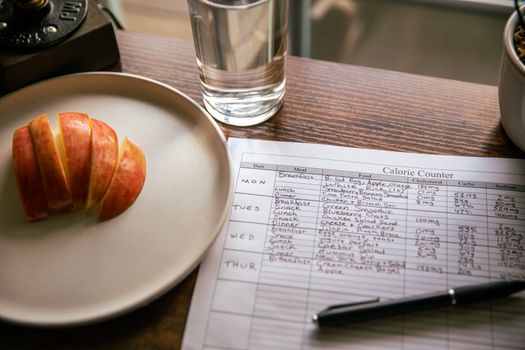
After your target is set, start logging everything you eat and drink. Many apps let you search a food database, scan barcodes or use voice entry. The more consistently you log, the more accurate your data becomes. If you use a meal-planning tool like Mealiv, the plan itself can be generated to hit your targets automatically, reducing the mental load of deciding what to eat.
Setting realistic goals
Do not expect to hit your calorie target perfectly every day — the aim is to stay close most of the time. The NHS 12-week plan encourages gradual changes, so focus on building habits rather than chasing a perfect log. A good tracker shows trends over weeks, not just daily numbers.
Logging food accurately
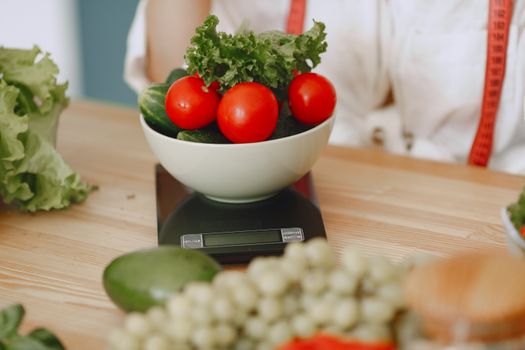
To get reliable data, measure portion sizes where you can, using a food scale, measuring cups or the app's built-in serving sizes. Many apps, including MyFitnessPal and Lose It!, let you save frequently eaten meals to speed up logging. Over time you will learn typical portion sizes and can log confidently even without measuring. A simple food diary habit makes weekly reviews far more meaningful.
Getting More From Your Nutrition Tracker for Weight Loss
Beyond counting calories, a nutrition tracker for weight loss helps you understand your eating patterns. Look at the breakdown of protein, carbohydrates and fat — a macro calculator is a useful companion when setting those targets. If you are low on protein, adjust your meals to include more lean meat, eggs or legumes; if your fibre is low, add more vegetables and whole grains. Some apps, like Nutracheck, track six or seven key nutrients for a broader picture of diet quality.
Another powerful feature is meal planning. Apps that generate weekly plans from your targets take the guesswork out of what to cook. Mealiv uses AI to create personalised plans, auto-generates a shopping list, and plans around UK supermarkets like Tesco, Sainsbury's and Asda — so your fridge is stocked with ingredients that fit your calorie goals.
Using barcode scanning and voice logging
Barcode scanning is a feature in most trackers, including MyFitnessPal, Lose It! and Mealiv. It instantly pulls up nutritional information for packaged foods. Voice logging, available in premium tiers of several apps, lets you speak a meal and have it entered automatically. These shortcuts make daily logging faster and less tedious, which is key to long-term adherence.
Reviewing your progress
Most apps show daily, weekly and monthly summaries. Weigh yourself once a week at the same time of day to see the trend, and remember that weight fluctuates with water retention, hormones and other factors. The NHS advises a safe rate of loss of 1 to 2 pounds (0.5 to 1 kg) per week. If you are not seeing results after a few weeks, check your logging accuracy and consider reducing portions or increasing activity.
Common Weight-Loss Tracking Mistakes to Avoid
One common mistake is underestimating portion sizes, especially for calorie-dense foods like oils, nuts and sauces. Another is forgetting to log drinks, snacks or condiments — small items that add up and disguise a genuine intake that exceeds your target. Also avoid relying solely on an app's calorie estimates for restaurant meals; they are often approximations.
Some people become overly fixated on daily numbers, leading to anxiety or binge-restrict cycles. A tracker is a tool, not a judge. If you overeat one day, simply note it and continue the next. Consistency over weeks matters far more than perfection on any single day.

Frequently Asked Questions
How many calories should I eat to lose weight?
The NHS recommends reducing your daily intake by around 600 calories from maintenance. For most women this means eating roughly 1,400 calories per day; for most men, about 1,900. Your exact target depends on your age, weight and activity level — most nutrition trackers calculate it automatically when you set a weight loss goal.
Can I lose weight without a premium subscription?
Yes. Many apps, including MyFitnessPal and Lose It!, offer free versions that let you log food, set a calorie target and see basic breakdowns, and the NHS Weight Loss Plan app is entirely free. Premium upgrades typically add barcode scanning, voice logging, custom macros and advanced reports, but the core function of calorie counting is free.
Which nutrition tracker is best for UK users?
For a UK-specific option, Nutracheck is a British app with a Trustpilot rating of 4.9 out of 5, tracking six to seven key nutrients with Fitbit integration. The NHS Weight Loss Plan app is also designed for UK residents. Mealiv is a UK meal-planning tool that plans to your calorie target and builds a shopping list for UK supermarkets.
Is it enough to just track calories, or should I track macros too?
Tracking only calories can work for weight loss, but tracking macronutrients (protein, carbohydrates, fat) helps you maintain muscle and feel fuller. A higher protein intake is particularly useful during a calorie deficit. Most trackers, including MyFitnessPal and Cronometer, display macros by default.
How long should I use a nutrition tracker for weight loss?
There is no set time limit. Many people track for a few months to establish healthy habits and then transition to intuitive eating; others continue during maintenance or fitness goals. The NHS 12-week plan is a good starting point if you prefer structure. You can stop once you feel confident in your portion sizes and food choices.
The Bottom Line
Using a nutrition tracker for weight loss is a proven, flexible method. Whether you choose a simple free app or a meal-planning tool like Mealiv, the key is to log consistently, use the data to make small adjustments and stay patient with the process. Weight loss is a gradual journey, and a good tracker simply shows you the map.